Create a class list for pupils and parents

Create a digital phone list for the class - no Excel, no app installation and privacy-friendly.

Ready immediately No app installation Free Privacy-minded

Digital class list instead of Excel
Create your class contact list online as an alternative to an Excel template.
Share the class list securely
Share the link or QR code at the parent meeting and maintain the list together.
Communicate directly
Contact other parents with one click.
Children nearby
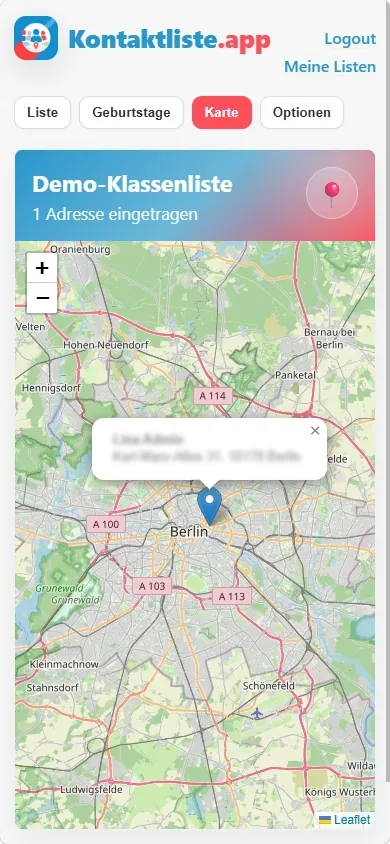
Use the map view for school routes and playdates.
PDF instead of Excel chaos
Print the class list as a clear PDF template.
Digital class list with phone list, parent contacts and map view
  • Map view
  • WhatsApp & email
  • PDF export
  • Share QR code
100% free

Create a class list with birthdays and phone numbers instead of passing around an Excel template

The digital alternative to a class-list template: parents enter their own data, update it online and print the list as a PDF when needed.

Ideal for parent meetings, school start and class organization · Directly in the browser · With phone list, email contact, map view and PDF export.

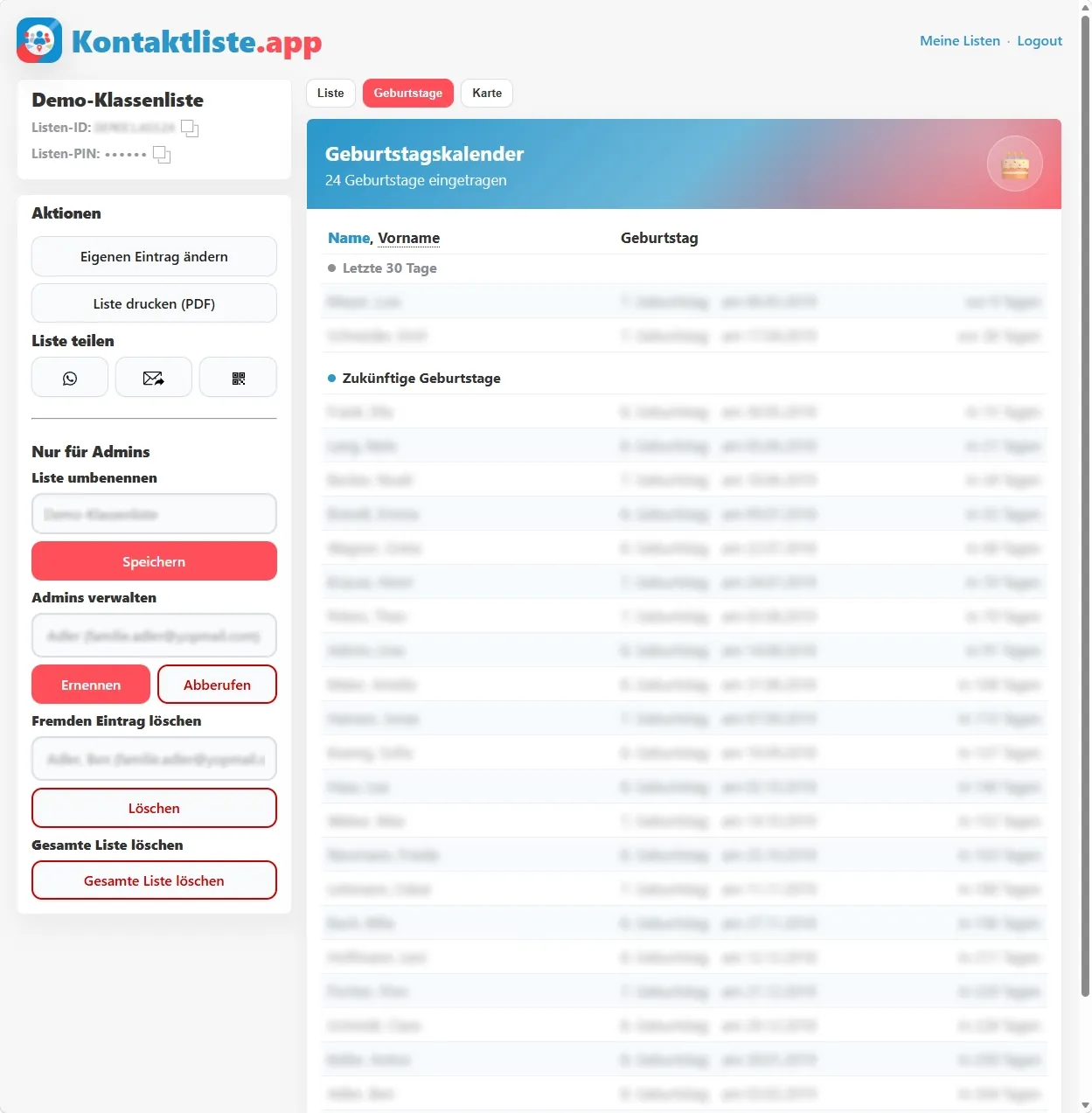
Screenshot for editing an entry in the digital class list

For parents and classes

Collect parent contacts without paper notes, spreadsheets, Excel templates or endless chat threads.

School phone list

Parents enter phone numbers, email addresses and other details themselves and keep the class phone list current.

Template and PDF in one

Print your online list as a PDF in the style of a classic class-list template or use it directly in digital form.

Privacy-friendly

Organize the list voluntarily among parents: every family decides which data to share.

Why parents often create a class list themselves

Many schools do not provide a full class list or phone list for data-protection reasons. Parents still need reliable contact details for playdates, school routes, meetings or quick questions.

With Kontaktliste.app, you create the class contact list yourselves: every family voluntarily enters what they want to share and can update or delete their own data any time.

How it works

  1. Create class list: enter class name and your email address
  2. Confirm email: use the confirmation link or one-time code
  3. Add your own entry: enter child, address, phone number and parent contacts
  4. Invite parents: share the invite link via WhatsApp or show a QR code at the parent meeting
  5. Maintain the class list: use edits, PDF export and admin features

What value does the app provide?

  • Class contact list: all important contact details in one place
  • Phone list as PDF: print the list in classic form when needed
  • Map view: see which children live nearby
  • Multiple classes: use separate lists for siblings or new school years

Features at a glance

  • Phone, email and WhatsApp directly from the list
  • Map view for school routes, neighborhoods and playdates
  • Birthday calendar for birthdays in the class
  • PDF export as an alternative to a class-list template
  • QR code for sharing at parent meetings
  • Admin features for managing the class list

Privacy designed for parent lists.

  • Parents decide themselves: The class list is created voluntarily by parents, not through automatic data sharing by the school.
  • Each family maintains its own entry: Contact details are not copied centrally, but entered by the parents themselves.
  • Built for class life: The list focuses on practical reachability, not unnecessary extra information.
  • No public class directory: The list is meant for the class community, not as a public directory.
  • Visibility with judgment: Families can consciously decide which details they really want to share.
  • Changes remain possible: Phone numbers, addresses or other details can be adjusted later.
  • Independent of school administration: Parents can organize the list without the school or teachers managing contact data.
  • Less file chaos: Instead of copied Excel files or old printouts, the current version remains maintainable online.
  • Use without an app: Parents can participate directly in the browser, even if not everyone uses the same devices or apps.

Frequently asked questions

Why do schools often no longer provide class lists?

Schools are bound by strict data-protection requirements when sharing contact details. They often need consent from all parents, have to document it and handle withdrawals properly. That is why parents often organize class lists themselves.

Does the school have to set up Klassenliste.app?

No. A school can recommend Klassenliste.app, but creating and maintaining the list should usually be done voluntarily by parents, for example by the class parent representatives or parent council.

Should teachers create a class list?

We recommend that teachers or schools do not administer the list themselves. It is better when parents create and manage the class list independently.

How does Klassenliste.app help with privacy?

Each family enters its own data, chooses what to share voluntarily and can later edit or delete its own entry.

Who can see the data in the class list?

Only people with access to the list. Access requires the list ID and list PIN.

Can I share the class list at a parent meeting?

Yes. Admins can use an invitation link, WhatsApp text or a QR code with the current PIN.

What happens if the class representatives change?

Admins can grant admin rights to other parents or remove them again, so list organization can be handed over.

Can I print the class list as a PDF?

Yes. The class list can be exported as a PDF and used like a classic phone list.

Can several children or school years be managed separately?

Yes. With the same email address you can use multiple class lists, for example for siblings or a new school year.

Create your class list online now

Start your digital phone list for the class - free, fast and without installing an app.